Booking manager assignment
Make ownership clear as requests move through the process.

Crenex Leasing Operations
Crenex Leasing Operations brings enquiries, space availability, approvals, agreements and billing data into one booking workflow. Built for teams managing casual and specialty leasing across shopping centres and real estate portfolios.
The booking lifecycle
Crenex gives teams a repeatable process without forcing every asset or commercial opportunity to look identical.
Capture direct, listing and third-party enquiries.
Check tenant, dates, space, use and documents.
Record rate, term and relevant commercial details.
Coordinate managers and stakeholders involved.
Generate and sign the required agreement.
Prepare transactions and report performance.
Example workflow
An illustrative workflow for a brand booking a kiosk for two weeks. The approvals, documents and finance steps follow the portfolio’s configuration.
Record the brand’s requested location and booking period, check the occupancy view and assign a booking owner. Keep the enquiry and space details together.
Keep the proposed rate, permitted use and required documents with the request. Coordinate the approvals configured for that asset.
Generate the agreement from an approved template. Retain document and signature events alongside the booking and its conversation.
Keep the agreed terms, transactions and income-category information ready for the configured finance process. Review the booking alongside revenue and asset performance.
Communication
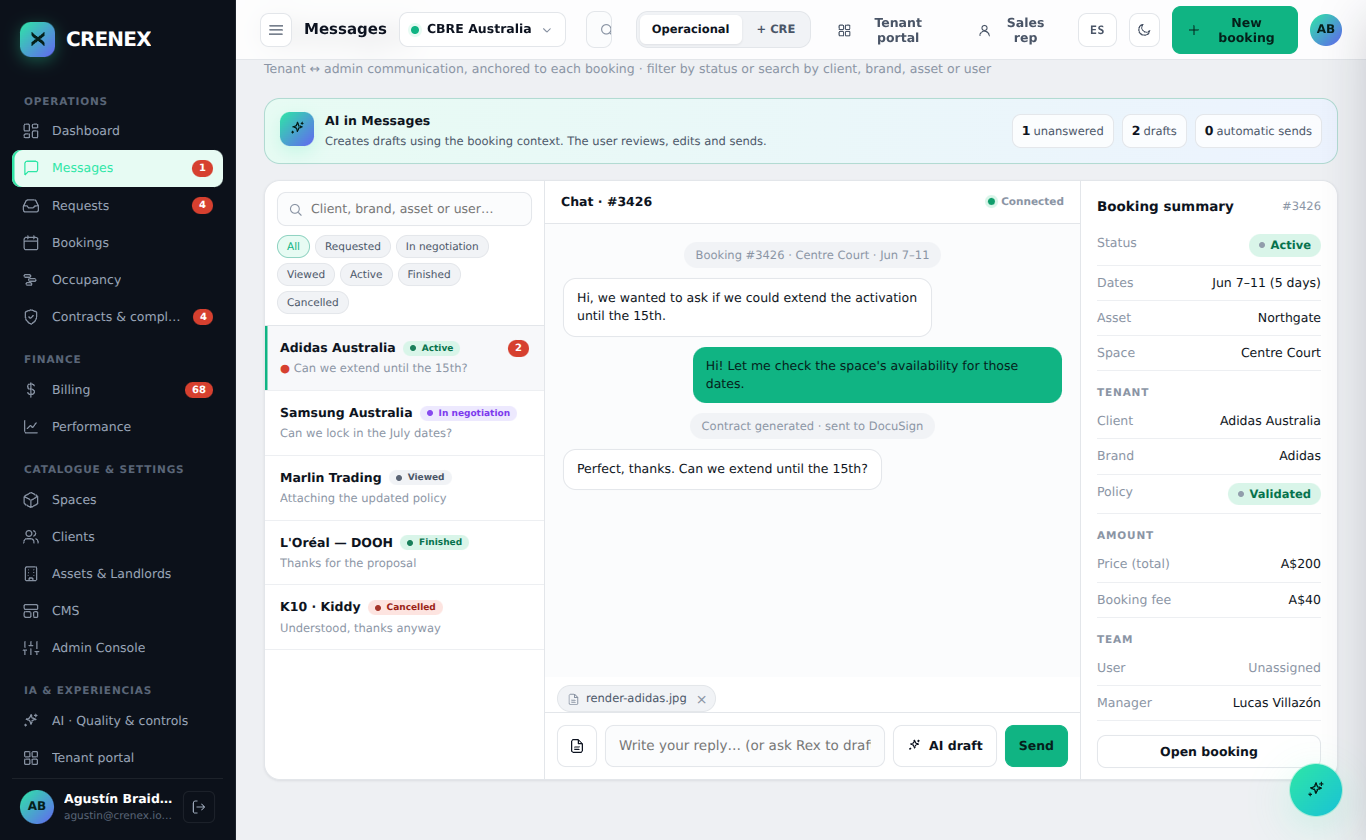
Messages, agreement events and commercial details can be reviewed together, reducing the need to reconstruct the history from separate inboxes.
See the request and the booking information next to the conversation.
Keep document and signature events in the same operational history.
Assign responsibility so the next action is visible.
Availability
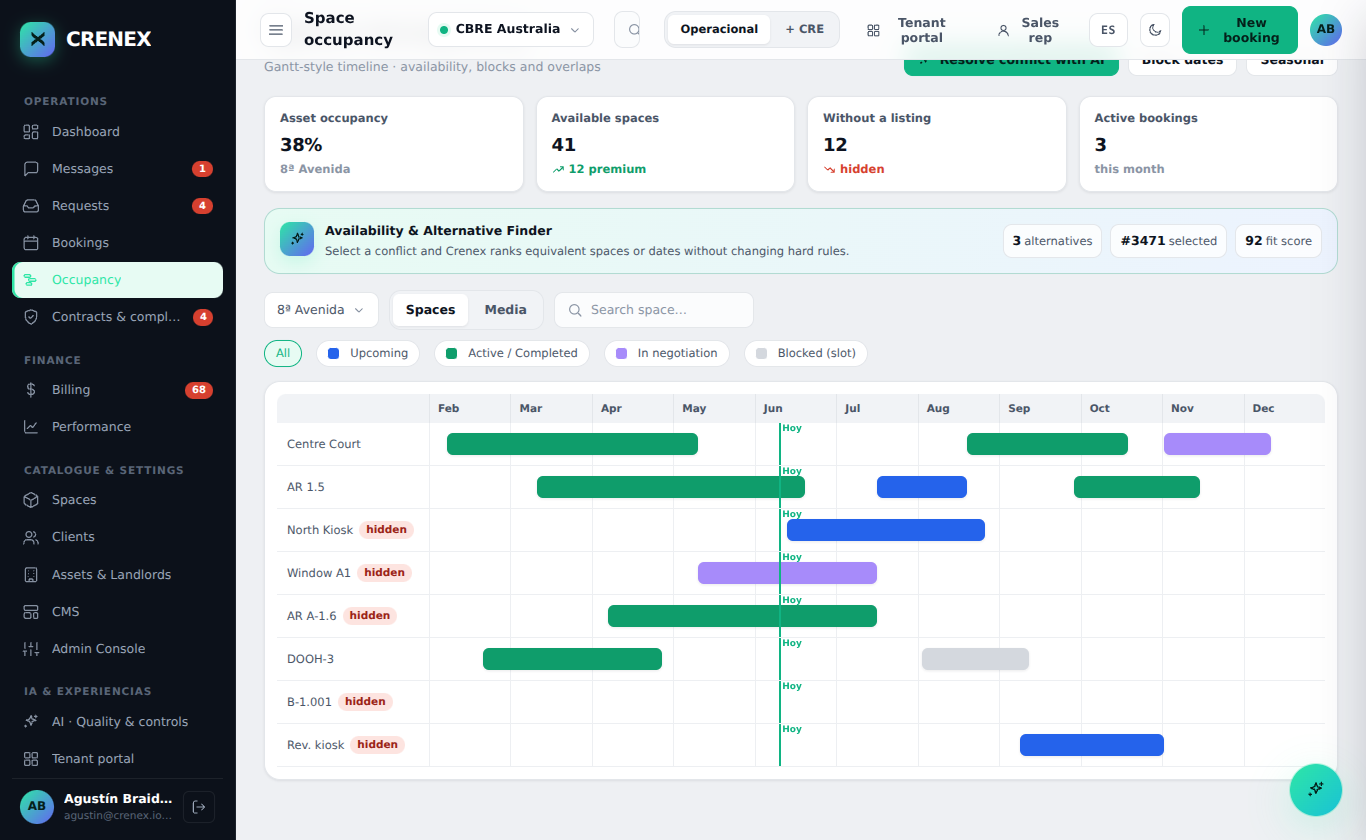
A portfolio view of space availability helps teams avoid clashes and understand how each area is being used.
Manage the different inventory types configured for the asset.
Distinguish accepted, active, completed and blocked occupancy.
Start a new booking from the availability context.
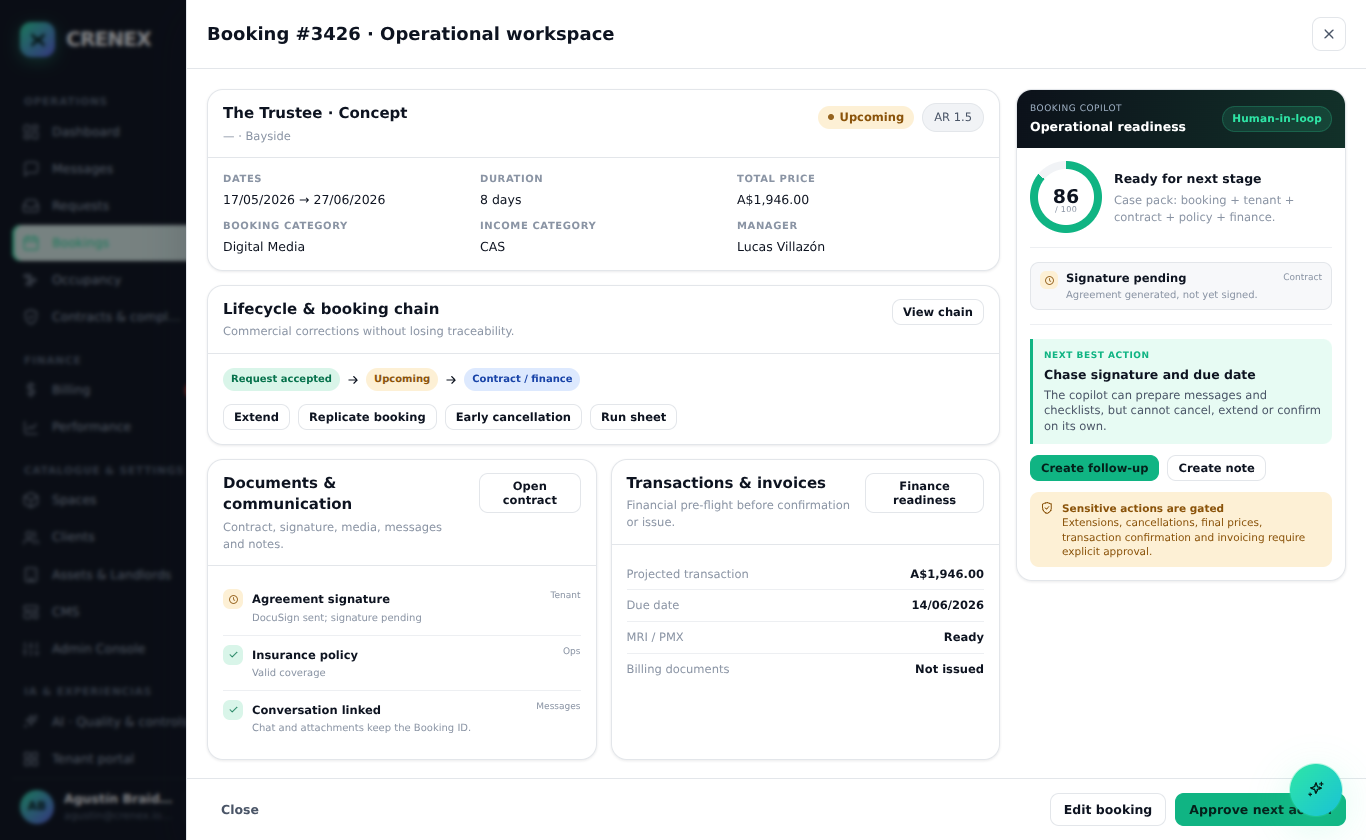
Operational detail
The workflow can be configured around your portfolio, permissions, templates and integration requirements.
Make ownership clear as requests move through the process.
Use approved templates and digital document flows for each booking.
Give operations and leadership the views they need after a deal is agreed.
Leasing operations questions
Crenex shows space occupancy by period, including accepted, active, completed and blocked states. Teams can review the requested dates in that context and start a booking from the availability view.
The workflow can reflect the portfolio’s users, permissions, documents and approval requirements. The process is configured for the deployment so each team can work with the rules relevant to its assets.
Teams can generate agreements using approved templates and retain document and signature events with the booking. The conversation and commercial terms remain available in the same operational record.
Crenex prepares transaction and income-category data alongside the booking. The finance handoff follows the configured process. For MRI PMX, the agreed fields and validation rules are mapped during integration setup.